Llama 3.3 70B GPU requirements and hosting.
Meta's instruction-tuned text model for multilingual dialogue. Evaluate it when a smaller assistant misses the quality bar and you can budget more GPU memory.
Checkpoint overview.
Model creator
Meta- Task in catalog
- Chat / reasoning
- Approx. total parameters (catalog)
- 70B
- Runtime families
- ollama
- Model license
- Llama 3.3 Community License ↗
- Upstream access at review
- Access approval or acceptance of terms required
- Canonical checkpoint
- meta-llama/Llama-3.3-70B-Instruct ↗
The creator identifies the original checkpoint. Runtime profiles may use separately packaged artifacts; their publishers and configuration can differ. Check the selected profile below.
Configuration matters
Choose a runtime profile.
A multi-GPU memory total is only a planning input. The runtime must support splitting this artifact across the chosen GPUs, with suitable interconnect and space for the KV cache.
- Catalog GPU threshold
- 80 GB
- Configured context
- 16,384 tokens
- Catalog system RAM
- 128 GB
- Runtime
- ollama
- Artifact identifier
llama3.3:70b- Precision
- Not pinned in catalog
- Configured concurrency
- 1 request(s)
- Profile inputs / outputs
- text → text
- Deployed artifact revision
- Not verified
Catalog thresholds are configuration guidance, not measured peak memory. A positive GPU requirement is not recorded for every profile; unspecified is not zero. Context, concurrency and runtime overhead can increase memory use. Configured context is a profile setting, not the upstream maximum. Concurrency is configuration, not a load-test result.
Memory components
Account for the whole workload.
ollamallama3.3:70b
Total GPU allocation Not established
Weights = 70 billion parameters × 2 bytes. This reference does not describe the selected artifact’s unrecorded precision. Cache and runtime reserve need the exact workload. Band widths are schematic, not memory shares; the separate 80 GB catalog threshold is guidance. A multi-GPU total needs a supported model split and topology.
Weight-only arithmetic and a planning estimate
Using the catalog's approximate 70B total parameters, 16-bit weights alone occupy about 140 GB (parameters × 2 bytes). The shared sizing helper rounds a 20% planning reserve to 168 GB.
This arithmetic does not describe the selected quantized artifact. It excludes a workload-specific KV-cache calculation and cannot guarantee fit at the configured context or concurrency. A mixture-of-experts model still stores its full weights.
See the assumptions →Plan the machine.
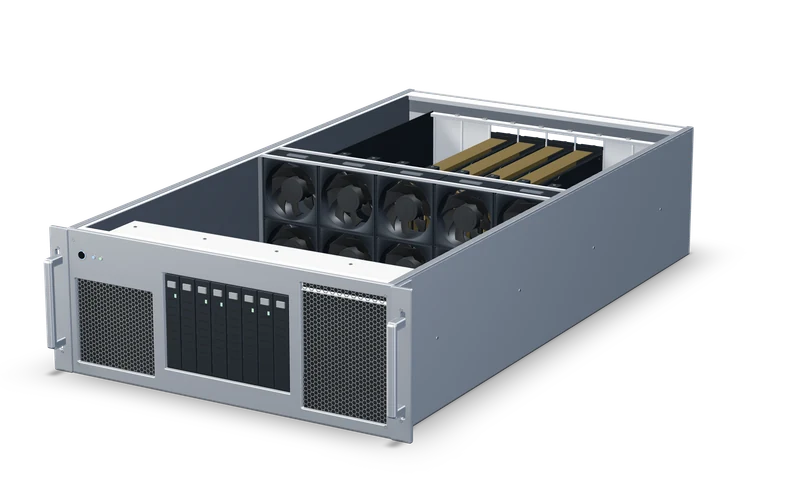
Memory-based machine candidate
4× RTX PRO 6000 Server Edition
384 GB total GPU memory · 96 GB per GPU
80 GB sizing figure · 384 GB installed GPU memory. Per-card placement and interconnect need confirmation.
This configuration includes 512 GB system RAM. Memory capacity alone does not establish runtime compatibility, latency or throughput. Multi-GPU serving needs a supported split and interconnect.
View this configurationCurrent pricing and availability are shown on the machine page.
Before deployment
Test the workload you need.
Compare the quantized artifact you will actually serve. A smaller download can change answer quality, and fitting the weights says little about concurrent request capacity.
These are catalog profiles and planning figures. No B3IQ performance measurement or live capacity is claimed. Confirm the artifact, runtime, workload and machine before deployment.
Evidence available
- Upstream identity / license
- Source reviewed
- Runtime settings
- Catalog configuration
- Memory fit
- Guidance; not a measured peak
- B3IQ performance
- No published benchmark
- Installation / live capacity
- Confirm for your machine
Source and access.
- Upstream checkpoint
- meta-llama/Llama-3.3-70B-Instruct ↗
- Upstream license metadata
- Llama 3.3 Community License ↗
- Access
- Upstream repository requires access approval or acceptance of terms.
- Reviewed source revision
6f6073b423013f6a7d4d9f39144961bfbfbc386b↗
The reviewed revision identifies the source used for this guide. It is not a claim that this revision is installed on a B3IQ machine. Review the publisher's current license and acceptable-use terms for your application.
Guide updates and corrections.
These are changes to the guide. Source-review dates and workload-test evidence are recorded separately.
- · Update
Added creator attribution and a canonical checkpoint overview. The guide now explains how the original creator differs from a runtime artifact publisher.
To report a correction, send the affected claim and a source URL to hello@b3iq.org.
Continue your evaluation.
Compare another checkpoint or explore a complementary task. Each guide explains the workload it is intended for.